

Google Maps supports in-car navigation through Android Auto and Apple CarPlay.
Google Maps offers easier voice access, clearer stop comparisons and battery-aware EV routing on Android Auto, while CarPlay retains the core navigation tools.
Android Auto gives Google Maps users several advantages over Apple CarPlay, from hands-free Gemini access to clearer route information. Both platforms cover essential navigation, but differences emerge when drivers compare stops, adjust maps or plan charging breaks.
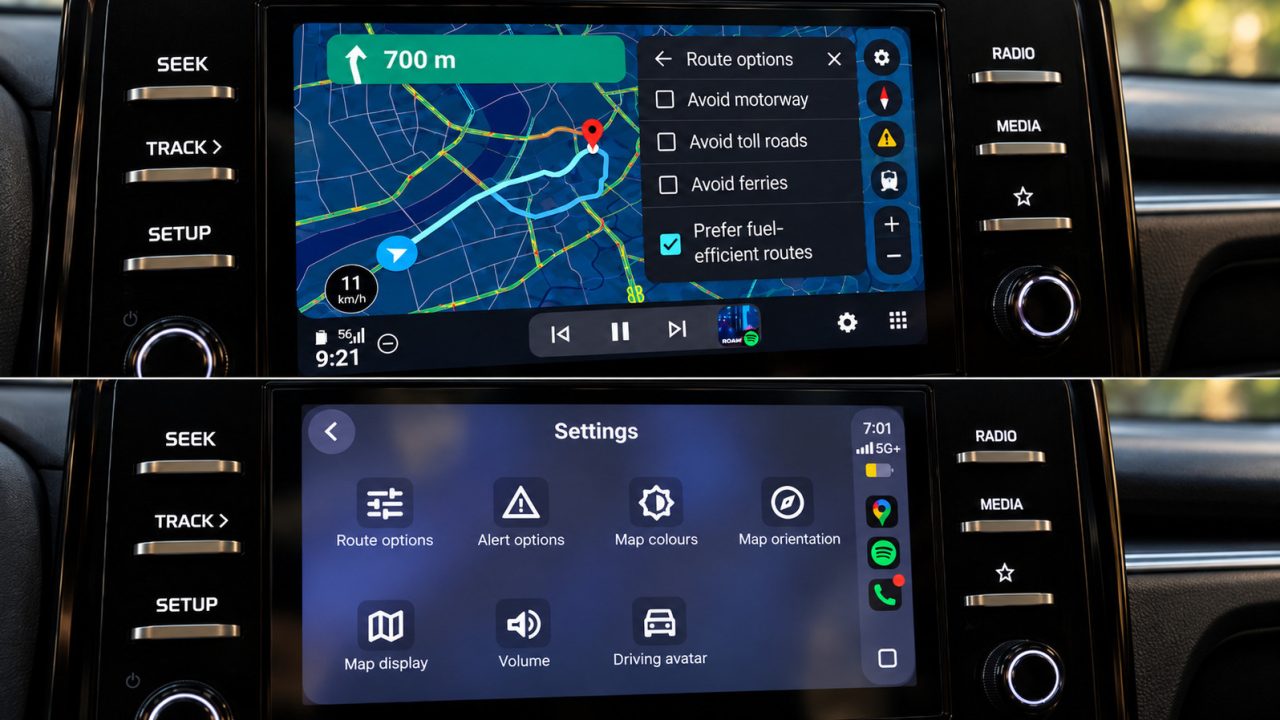
The shared tools include speedometers, lane guidance, incident reporting and alternative routes. Drivers can also choose to avoid tolls, highways and ferries on either platform.
Where Android Auto makes navigation easier
Gemini offers the clearest distinction. On Google’s platform, drivers can start a conversation without touching the screen. CarPlay also offers conversational searches through a Gemini button in Maps, but accessing it requires a tap.

Once open, the assistant can search along a route, refine results and add stops. It can also display alternative routes. However, Gemini can encounter loading delays or connection failures, so voice assistance does not always work smoothly.
Comparing potential stops presents another difference. Google’s interface can show several choices together, including ratings and the extra journey time each adds. CarPlay instead presents results individually, with Previous and Next controls for moving between them.
CarPlay can still display useful details, including fuel prices and detour times. However, its sequential layout requires more interaction when comparing several options.
Map controls and destination shortcuts also differ. Android Auto keeps zoom controls close at hand and supports direct pinch-to-zoom interaction. CarPlay uses a separate map-control mode.
Before navigation begins, Google’s platform can display a Home shortcut with a live arrival estimate and distance. Its Recent section also offers recently visited places and suggestions linked to recent Maps searches, alongside Categories and Saved locations.
Fuel guidance and charging-aware EV routes
Both platforms offer a fuel-efficient routing preference. However, Google’s interface can make the recommendation clearer by marking the most efficient option and showing estimated fuel savings. CarPlay has its own convenience advantage: drivers can easily access Automatic, Day and Night colour settings.
For compatible electric vehicles in the United States, Google Maps adds battery-aware journey planning through Android Auto. Google’s announced rollout covers more than 350 EV models across over 15 brands.
Drivers enter their current battery level, and Maps estimates trip consumption using vehicle characteristics, traffic, road elevation and weather. It can then suggest charging stops and estimate the battery level on arrival.
Charging time also feeds into the arrival estimate, making those stops part of the route calculation. By contrast, Google Maps’ energy-efficient EV routes on iPhone do not include charging stops.