


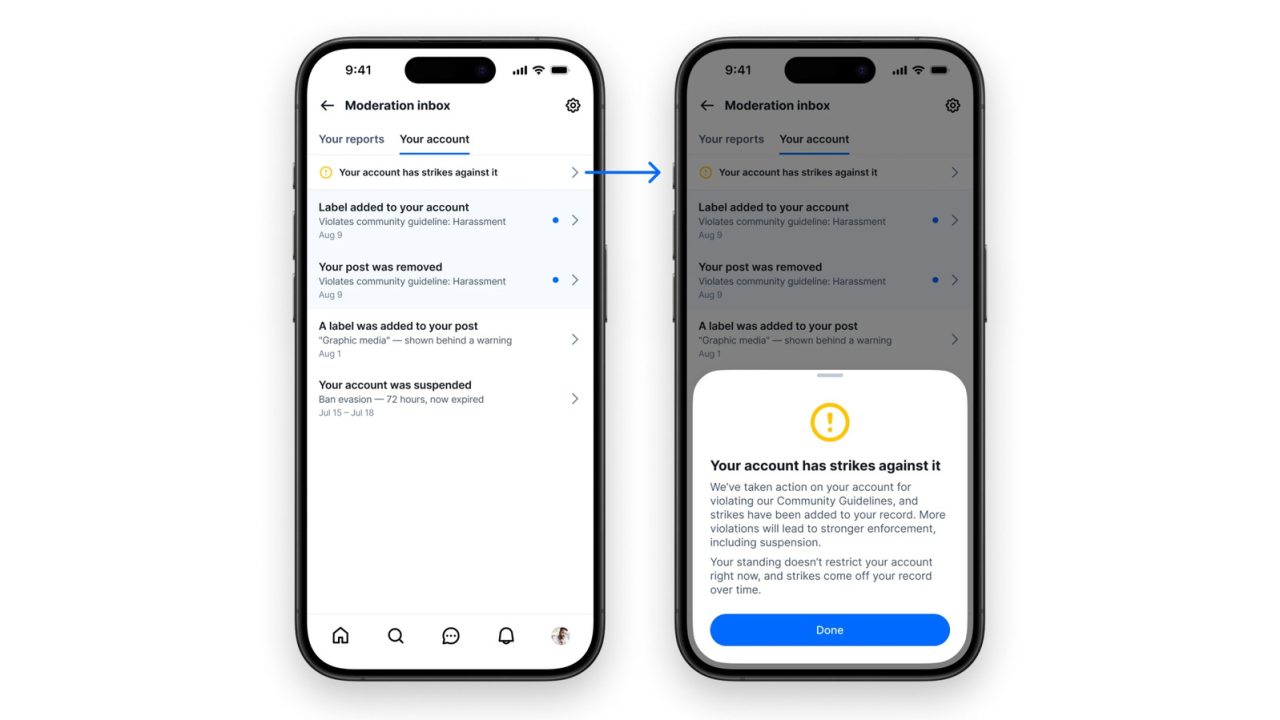
Bluesky is rolling out a beta tool that helps users track moderation decisions and appeal most actions directly in the app.
The Bluesky moderation inbox is rolling out in beta, giving users one place to track reports and account actions. The feature also shows their overall standing on the platform and supports appeals against most moderation decisions.
Users can access the tool through the Bluesky app after enabling beta features in Settings.
How the Bluesky moderation inbox works
After turning on beta features, users can find the inbox under the app’s Moderation tools menu. It brings together reports about other users and posts, alongside actions that Bluesky takes against their own accounts.
However, Bluesky says the inbox starts empty, even for users who have already received an account strike. Entries will appear as users file reports or as Bluesky takes account action and applies labels to posts.

The tool also allows users to appeal most decisions without leaving the app. Suspension appeals, however, still go through the login screen rather than the new inbox.
This gives users a central place to follow moderation activity, rather than relying only on email notices.
Bluesky shifts moderation notices into the app
Bluesky says the feature aims to improve communication with users throughout the moderation process. Previously, the company shared decisions by email, which created difficulties reaching people using Bluesky on independent servers.
That approach also meant the company often contacted users only about serious decisions. By contrast, the inbox lets Bluesky notify anyone using its app and share updates at each stage without filling their email inbox.
The rollout comes amid criticism of the company’s moderation practices, despite its tools for blocking accounts and managing personal feeds. Users have challenged its handling of posts concerning Charlie Kirk’s assassination.
Alongside the moderation changes, the latest app update adds an optional home-screen widget. Users can place it on their home screen to see trending topics.