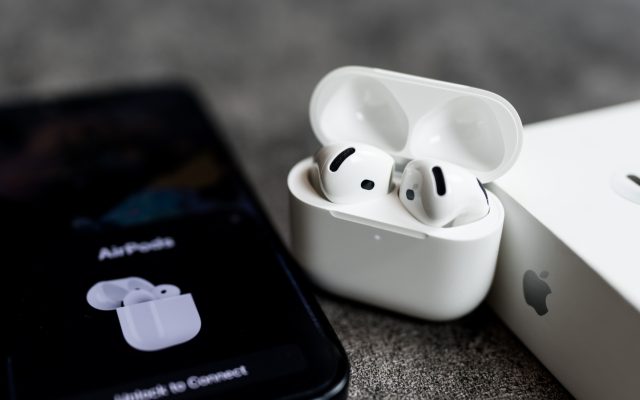



Charging habits and battery age can affect AirPods listening time.
Charging habits, dirt and power-hungry features can shorten listening sessions, but simple checks may help before you consider replacing your earbuds.
AirPods battery drain does not always mean you need a replacement pair. Charging problems, enabled features and everyday habits can all reduce listening time.
However, battery age matters too. Lithium-ion batteries typically reach significant degradation after roughly 300 to 500 charge cycles, or about two to three years.
First, compare performance with Apple’s rating for your model. Apple rates AirPods 4 with active noise cancellation at four hours of listening with that feature on. Switching it off raises the rating to five hours.

Check charging before tackling AirPods battery drain
Dust or earwax can block the small charging contacts inside the case. As a result, an earbud may sit in place without actually charging.
With both earbuds in the case and charging, check their individual battery levels on your iPhone. Uneven readings can indicate blocked contacts, so inspect cleanliness before changing settings.
Use a lint-free cloth for occasional cleaning, and avoid scraping the delicate contacts with hard objects. Apple also permits wiping the case with a cloth slightly dampened with isopropyl alcohol. Keep liquid away from charging ports and let the case dry completely before charging.
Meanwhile, return the earbuds to their case after use. Outside it, they continue using power while connected to a device or searching for one. The case’s battery also loses capacity over time.
Reduce power use and protect battery capacity
In quiet surroundings, switching off active noise cancellation can save power. Disabling Spatial Audio also reduces demand, although any extra listening time depends on the model and settings.
If problems persist, try resetting the earbuds. Place them in the case, then open Settings on your iPhone and select Bluetooth. Under More Info, choose Forget This Device, then follow Apple’s reset instructions for your model.
Afterwards, reconnect the AirPods and check charging performance and listening time. However, remember that a 100 per cent reading measures charge against the battery’s current capacity. An older battery can therefore show full charge while delivering less listening time.
Also check Optimized Battery Charging by opening your AirPods near your iPhone. Go to Settings, select your AirPods, then Battery, and enable the feature if necessary.
It learns your charging routine and reduces time spent fully charged. On newer models, Charging Notifications can also provide low-battery alerts.
Finally, contact Apple if these steps do not help. With AppleCare+ coverage, Apple offers battery service at no extra charge when capacity falls below 80 per cent of its original level.